07
Zen mode
Hide sidebars and keep attention on the text.
When the outline tree or utility panes distract you, Zen mode simplifies the editor chrome. Enter and exit quickly from the shortcut.
Gamita Novelist — a writing environment for finishing novels
Gamita Novelist brings your story structure, manuscript, research, and writing history together in one place for long-form fiction.
DownloadGamita Novelist
Writing a novel can mean a long stretch before anyone sees the result. Gamita Novelist connects outlining, drafting, organizing, and exporting so you can keep moving a story forward.
It also keeps a record of when, where, and how you wrote. The days before publication or recognition remain visible as part of what you created.
01
Handle the conventions of Japanese fiction without breaking the flow of the manuscript.
Ruby, emphasis dots, sidelines, warichu, gaiji, kaeriten, enclosure, and more are available from the toolbar—edit and preview in the same place.
On export, output can follow the notation of the destination site. Supported web-novel platforms and file formats are listed at the bottom of this page.
02
Shape chapters, sections, and scenes while keeping the whole story and your current place in view.
Build hierarchy with outline nodes and place manuscript pages underneath. Reorder and nesting depth follow how your story is structured.
Each manuscript page can carry a writing note and TODOs with optional due dates. Progress and overdue items appear in the outline view.
03
Keep the manuscript, drafts, research, and alternate ideas organized as one work.
Besides the main text, keep drafts, research, side stories, diaries, and other purposes in their own binders. Focus on the binder you open; the rest stay out of the way.
Inside each binder you can nest files. Organize research and alternate drafts with the same hierarchical controls as the main outline.
04
Place videos and images inside the manuscript.
Insert assets from the project, local disk, or the web. Useful when writing scripts or scenes alongside storyboards or reference footage.
Use it when you want visual references in the same flow as the prose—not only plain text.
05
Export the right version of your story in the form you need.
Each manuscript node can carry one of these plan states. Export plans choose which states to include.
Example uses
Format, ruby style, encoding, line endings, and run timing stay in the plan so each export matches.
06
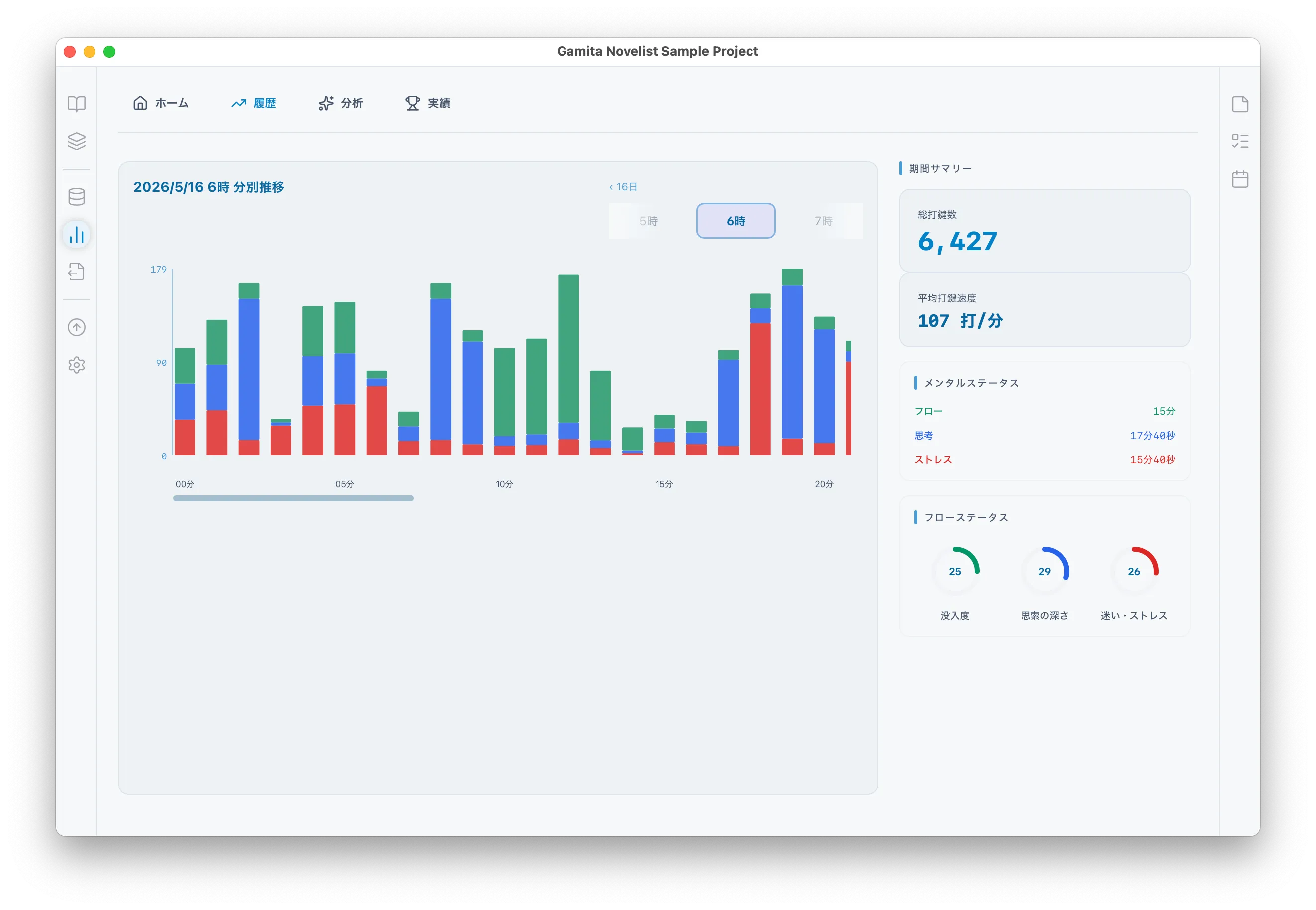
Review the time and keystrokes behind your work as a record of your creative practice.
Record when, in which work, and in which manuscript you typed, minute by minute. Keep that activity as a day-to-day writing history.
Compare writing states and time of day with your past self to see growth and changes in pace. Use that history to find a way of working you can sustain.
State estimation uses a proprietary keystroke-dynamics algorithm. Data stays on your device and is not sent to servers without consent.
The blog also covers research background for state estimation in a novel-writing app. See the article and PDF for details.
07
Hide sidebars and keep attention on the text.
When the outline tree or utility panes distract you, Zen mode simplifies the editor chrome. Enter and exit quickly from the shortcut.
08
Scroll assistance keeps the cursor line at a fixed place on screen.
Reduces the sense of the page sliding away as you type, so attention stays on the line you are writing—support for long sessions.
These marks are available for Japanese literary typography.
| Mark | Description |
|---|---|
| Ruby | Attach readings to base characters. |
| Emphasis dots (bōten) | Place emphasis dots beside characters to stress a phrase. |
| Sideline (bōsen) | Draw a sideline along text to guide the eye. |
| Warichu | Insert a compact two-line note inside the body text. |
| Gaiji | Handle characters outside the usual font repertoire. |
| Kaeriten | Insert kaeriten such as re-ten used in kundoku readings. |
| Enclosure (kakomi) | Box characters or phrases to set them apart visually. |
Export for posting supports the notation used by these sites.
| Site |
|---|
| Shōsetsuka ni Narō |
| Kakuyomu |
| Alphapolis |
| pixiv |
| Every Star |
| Hameln |
| Mahou no i-land |
| Tugikuru |
Document files you can export with Convert.
| Format | Status |
|---|---|
| txt | Supported |
| Rich Text | Supported |
| Word | Supported |
Import from these formats is planned, added in stages.
| Format | Status |
|---|---|
| txt | Planned |
| Rich Text | Planned |
| Aozora Bunko | Planned |
| Word | Planned |
| Scrivener | Planned |
| Ichitaro | Planned |
Outline it, write it, and move it toward completion on macOS or Windows.